How to Change Your Apple Watch Band: Step-by-Step Guide with Photos
Strap installation guide
Step 1
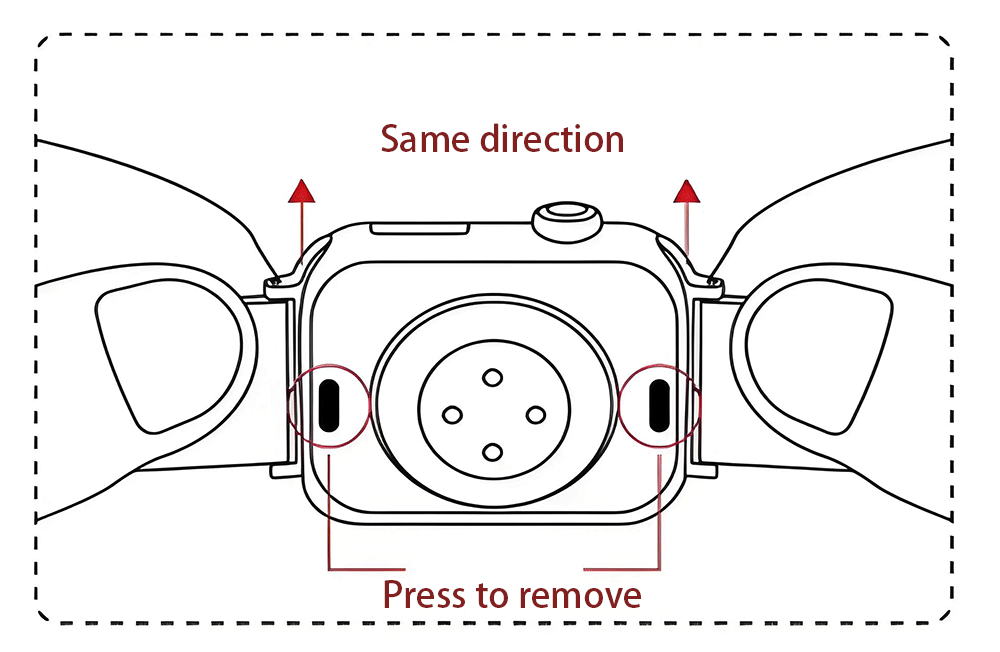
Removal Method: Hold the watch latch button, then pull the strap out in the same direction.
Step 2
WARNING!!!
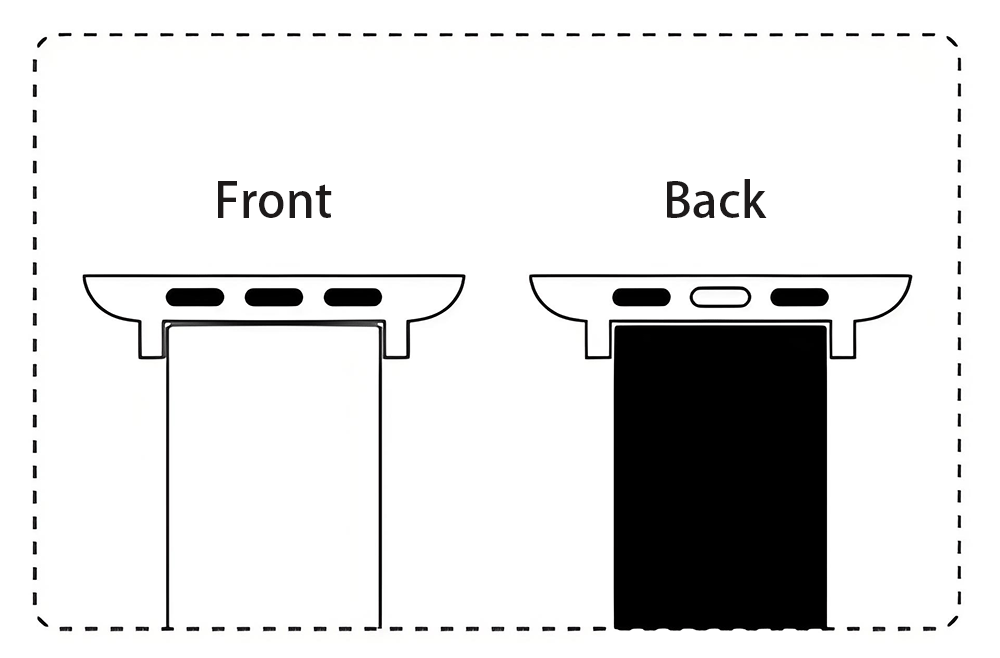
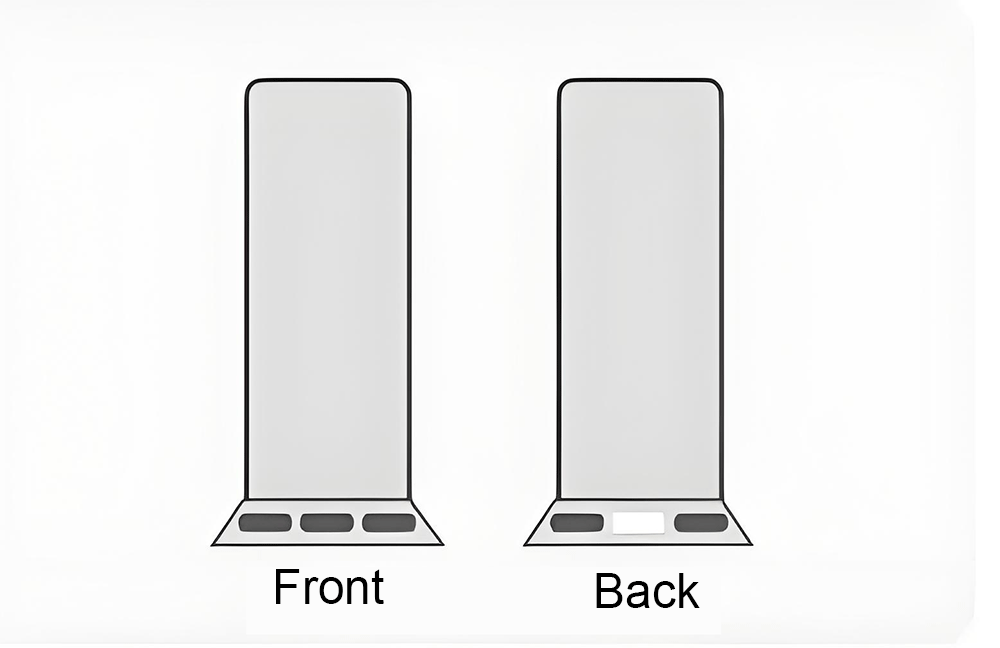
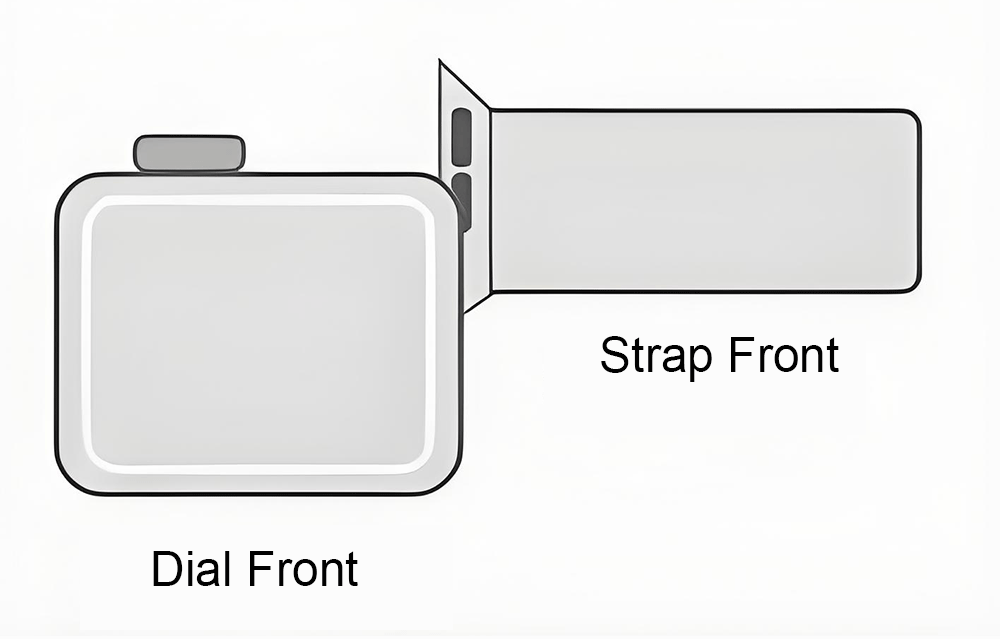
The strap has front and back sides. Pay attention during installation and wearing.
Keep the side with 3 black dots of the connector facing upward.
Step 3
For the other side, keep the latch with three black bumps facing upward. Press the middle‑black latch with your finger and insert it into the watch case slot. Repeat the same installation‑removal procedure for the opposite end.
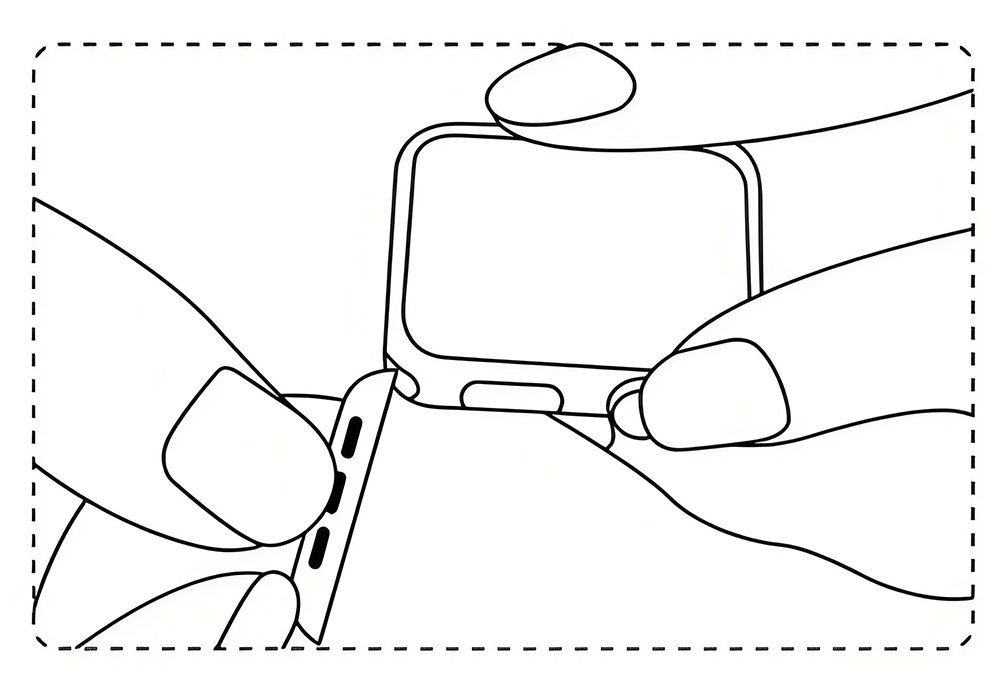
Step 4
The strap is securely fastened to the dial once both ends are fully inserted into the dial slots.
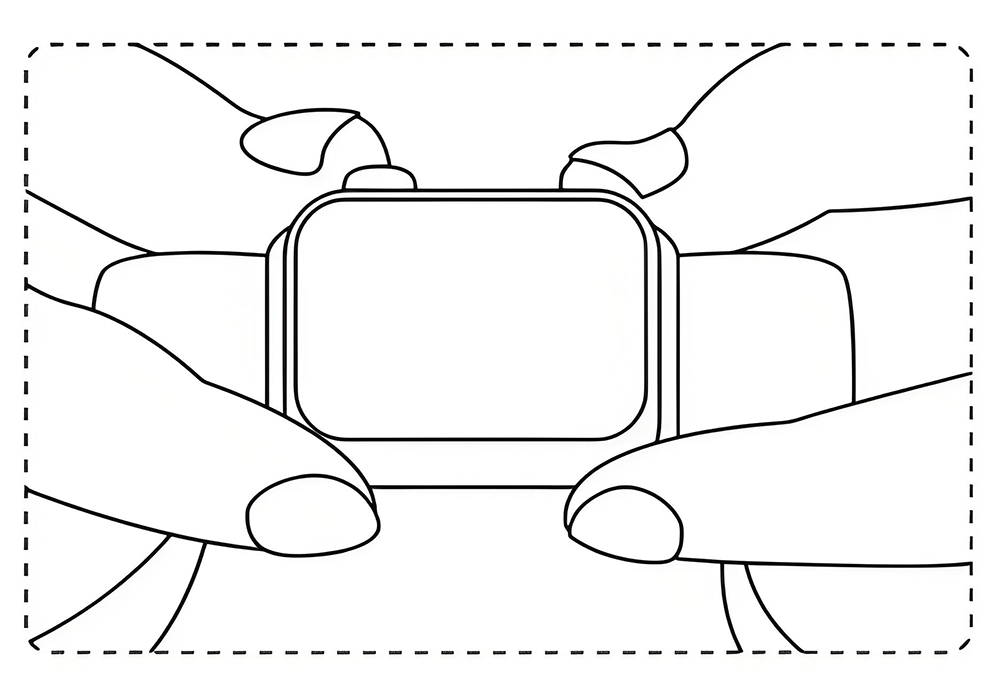
1.Press the release button on the back of the dial, slide the strap gently to remove the original watch strap.
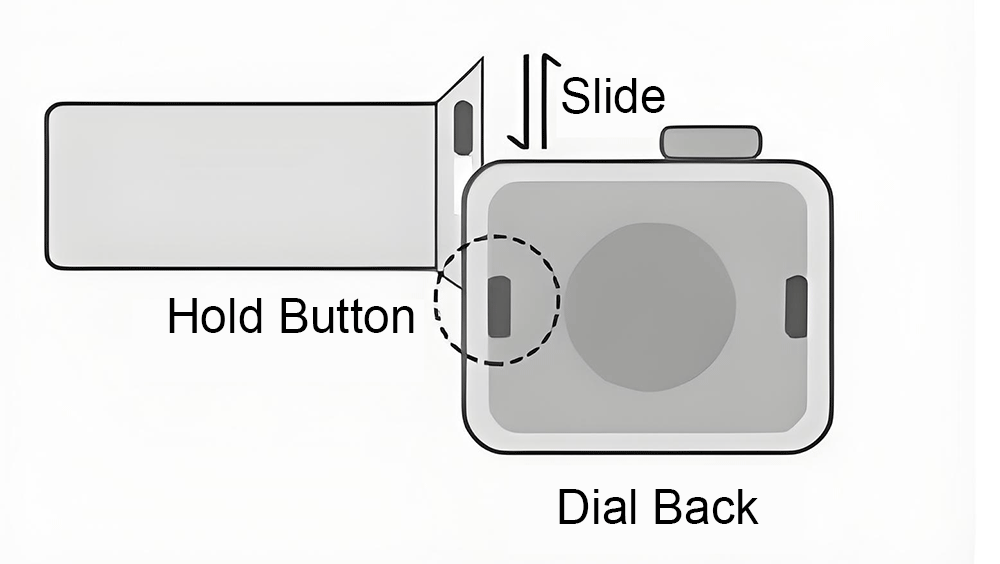
2.Front side: three black dots; Back side: white center with release button.
3.Align the strap with the dial, push the new strap into the dial slot. A click sound confirms successful installation.
4.Align and slide‑install the other side in the same way. Full assembly is complete.